Verse note indicator dots
Context
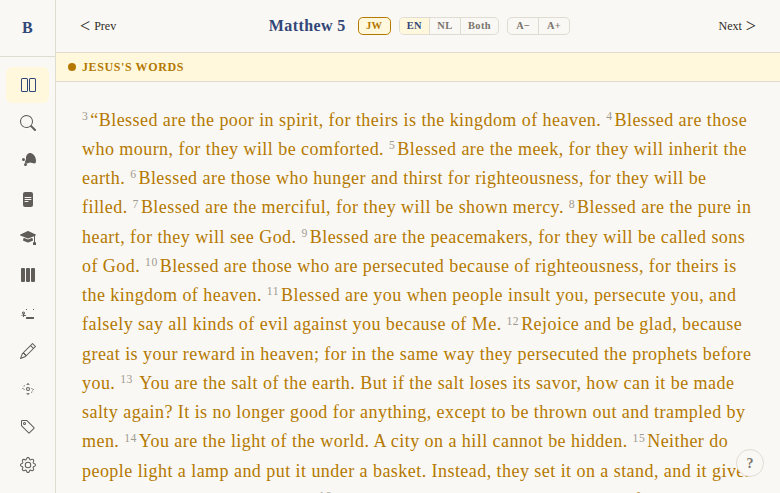
Problem: When a user has written notes on specific verses, they need a visual cue in the reader so they can see which verses have notes — without opening the notes list.
Solution: A subtle dashed underline on the first few words of verses that have notes. Clicking the underline opens the note editor directly.
Not included: Showing the note content inline in the reader, or a note count badge. This is just a presence indicator.
Functional
When a verse has a note attached to it, the first 5 words of that verse get a subtle dashed underline. This tells the reader "there's a note here." Clicking the underlined text opens the note editor for that verse.
User flow:
- User has previously written a note on a verse
- When they read that chapter, the first 5 words of the noted verse show a dashed underline
- User clicks the underlined words
- The note editor opens directly (skipping the context menu)
Edge cases:
- Verses with fewer than 5 words: all words are underlined
- Clicking the underlined words does NOT also open the context menu (event propagation is stopped)
- Notes are loaded from the notes store on page mount — indicator updates reactively
UX & Design
Visual:
- Dashed underline:
border-bottom: 1.5px dashed var(--color-header, rgb(140, 160, 200)) - Only on the first 5 words (or fewer if the verse is short)
- Padding bottom: 1px
- Cursor: pointer (indicates clickability)
Interaction:
- Click → opens note editor directly (bypasses context menu)
- No hover effect beyond the pointer cursor
Note: Despite the feature name saying "dots," the actual implementation uses a dashed underline, not dot markers.
Technical
Computation (in +page.svelte):
const noteVerseIds = $derived(
  new Set(
    (data.verses as Verse[])
      .filter((v) => getVerseNote(v.bookId, v.chapter, v.verse))
      .map((v) => v.id)
  )
);
getVerseNote()does O(1) lookup from aMap<"bookId:chapter:verse", VerseNote>in the notes store
Rendering (in VerseText.svelte):
- When
hasNoteis true,noteIndicatorWordssplits the primary text and wraps the firstmin(5, words.length)words in<span class="note-indicator"> - Click handler:
onnoteclick(verse)withstopPropagation()to prevent context menu
Files:
apps/web/src/lib/components/bible/VerseText.svelte— indicator rendering + click handlerapps/web/src/lib/components/bible/VerseList.svelte— passesnoteVerseIdsSet to each VerseTextapps/web/src/lib/stores/notes.svelte.ts— notes store with Map-based O(1) lookupapps/web/src/routes/(app)/read/[[book]]/[[chapter]]/+page.svelte— computesnoteVerseIds
Status
Current: DONE Milestone: v1 Priority: Medium — connects the reader to the notes system
History:
- BibleGame had colored dot markers next to noted verses
- Web version uses a dashed underline instead for a cleaner look
Dependencies:
- Requires: chapter reader (DONE), notes system (DONE)
- Used by: note editor launch from reader
Screenshots