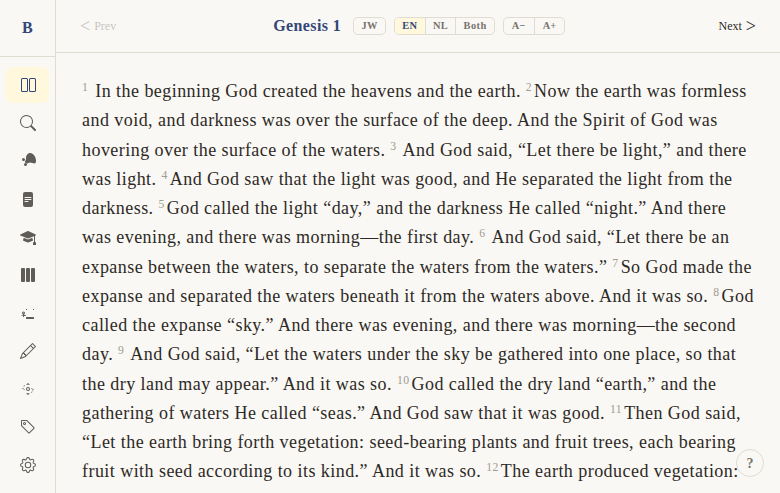
Mobile responsive layout
Context
Problem: BibleWeb must work well on phones and tablets, not just desktop browsers. Bible reading happens on the go — commutes, church, personal devotions. A desktop-only layout would exclude a large portion of users.
Solution: A fully responsive layout that adapts from desktop (sidebar + content) to mobile (full-width content with collapsible hamburger menu). All features work on touch devices.
Not included: A native mobile app or PWA-specific features (offline mode, push notifications). This is responsive web design only.
Functional
The app layout adapts seamlessly between desktop and mobile screen sizes.
Desktop (>768px):
- Sidebar always visible on the left
- Main content area fills remaining width
- Drawers (commentary, cross-refs) overlay from the right
Mobile (<768px):
- Sidebar hidden by default
- Hamburger button to toggle sidebar open/closed
- Main content takes full width
- Drawers take full width when open
User flow (mobile):
- User opens BibleWeb on phone → sees full-width reader
- Taps hamburger → sidebar slides in
- Taps a nav item → navigates and sidebar closes
- Taps a verse → context menu appears near tap point
Edge cases:
- Parallel Gospel view: 1 column on mobile (<640px), 2 columns on medium (640-768px), full grid on desktop
- Themes grid: 1 column below 640px
- Settings controls stack vertically on mobile
UX & Design
Breakpoints:
- Mobile: < 640px (1 column everywhere)
- Medium: 640-768px (2 columns for parallel views)
- Desktop: > 768px (full layout with persistent sidebar)
Sidebar: mobileOpen state controls visibility. Hamburger button toggles. On desktop, always visible.
Touch targets: Minimum 44px height for interactive elements on mobile.
Technical
Layout: (app)/+layout.svelte — <div class="h-screen flex"> wrapping Sidebar + <main>
Sidebar (Sidebar.svelte):
mobileOpenreactive state- Hamburger button shown on mobile, hidden on desktop
- Overlay backdrop when open on mobile
Responsive components:
ParallelVerseView.svelte— CSS Grid with responsivegrid-template-columns- Themes page — responsive grid (
1frbelow 640px)
Files:
apps/web/src/routes/(app)/+layout.svelte— main layoutapps/web/src/lib/components/layout/Sidebar.svelte— responsive sidebar
Status
Current: DONE Milestone: Foundation (pre-v1) Priority: Core — essential for mobile users
History:
- BibleGame was desktop-only (MonoGame)
- Responsive design was a primary goal of the web port
Dependencies:
- Requires: nothing (foundational)
- Used by: all features benefit from responsive layout
Screenshots